Bulwark Webmail # Bulwark Webmail A modern, self-hosted webmail client for [Stalwart Mail Server](https://stalw.art/).
Built with Next.js and the JMAP protocol. [![License: AGPL v3](https://img.shields.io/badge/license-AGPL%20v3-blue.svg?logo=gnu&logoColor=white)](LICENSE) [![Discord](https://img.shields.io/discord/1482128142939455674?color=7289da&label=discord&logo=discord&logoColor=white)](https://discord.gg/tYCujymGrT) [![Version](https://img.shields.io/badge/version-1.4.8-green.svg?logo=git&logoColor=white)](CHANGELOG.md) [![Docker](https://img.shields.io/badge/docker-ghcr.io%2Fbulwarkmail%2Fwebmail-blue?logo=docker&logoColor=white)](https://ghcr.io/bulwarkmail/webmail)

--- ## Screenshots
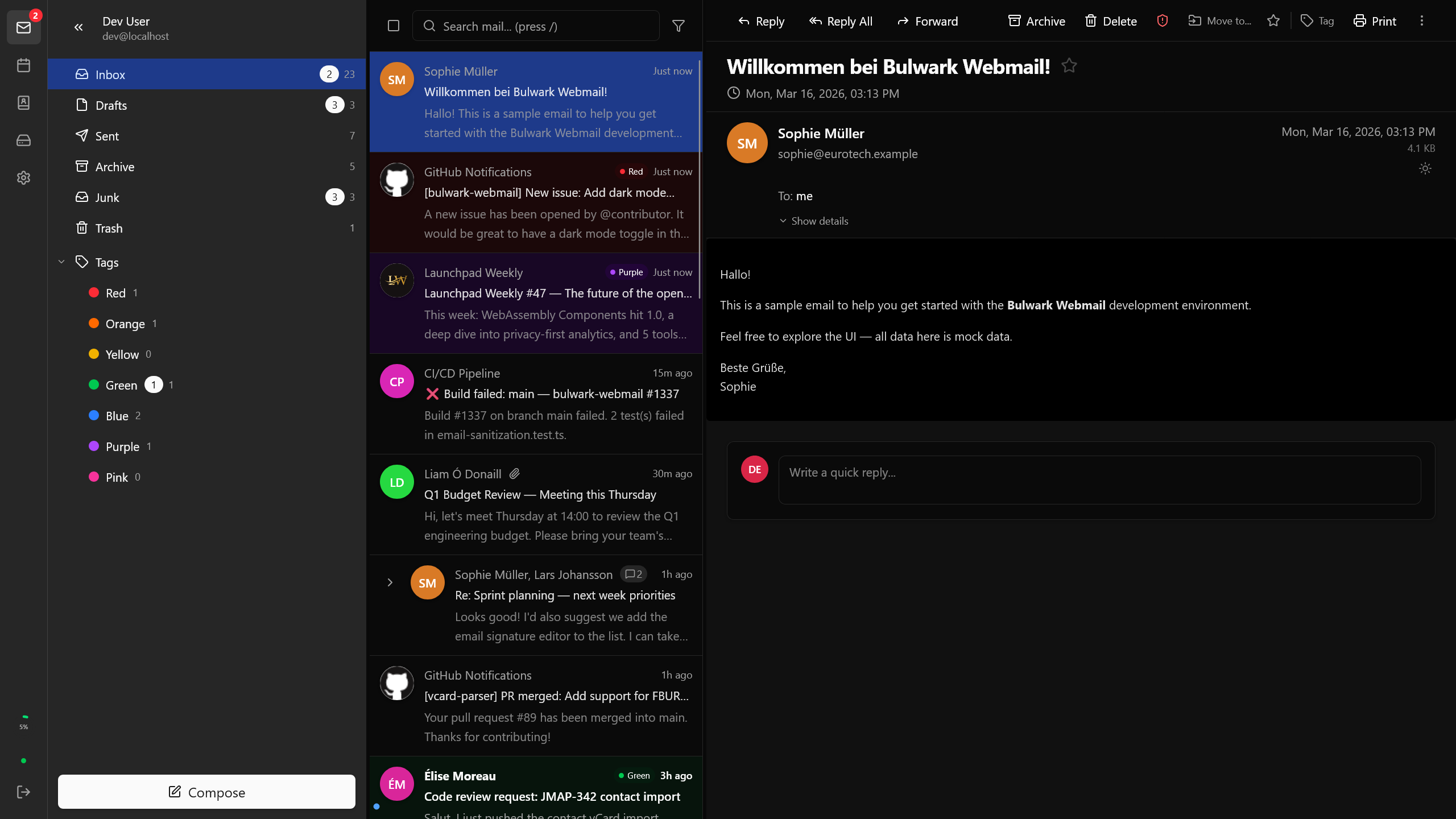
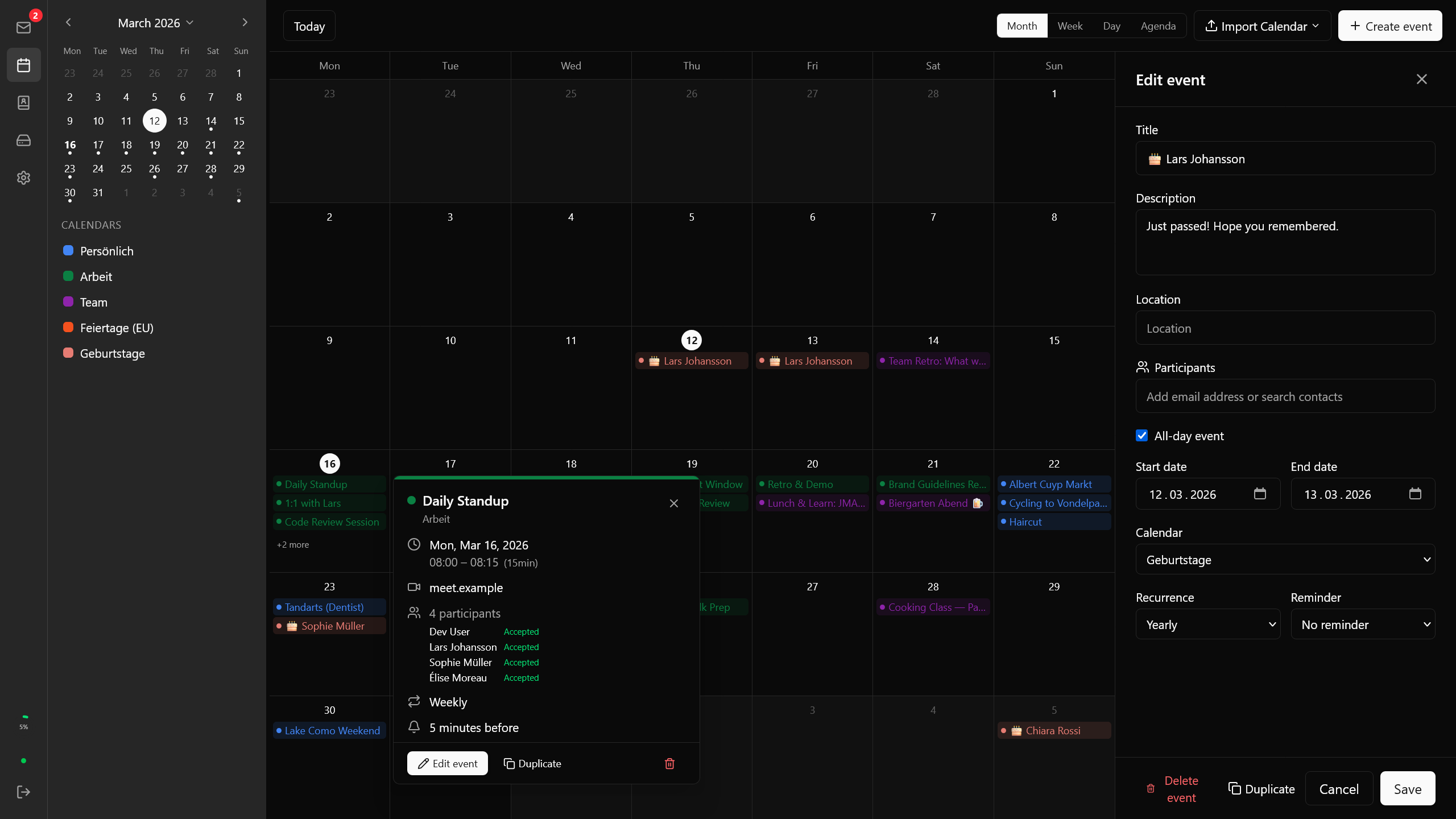
Inbox — three-pane layout with sidebar, email list, and viewer (dark mode) **Mail** — Three-pane layout with sidebar, email list, and viewer Calendar **Calendar** — Month, week, day, and agenda views with event management
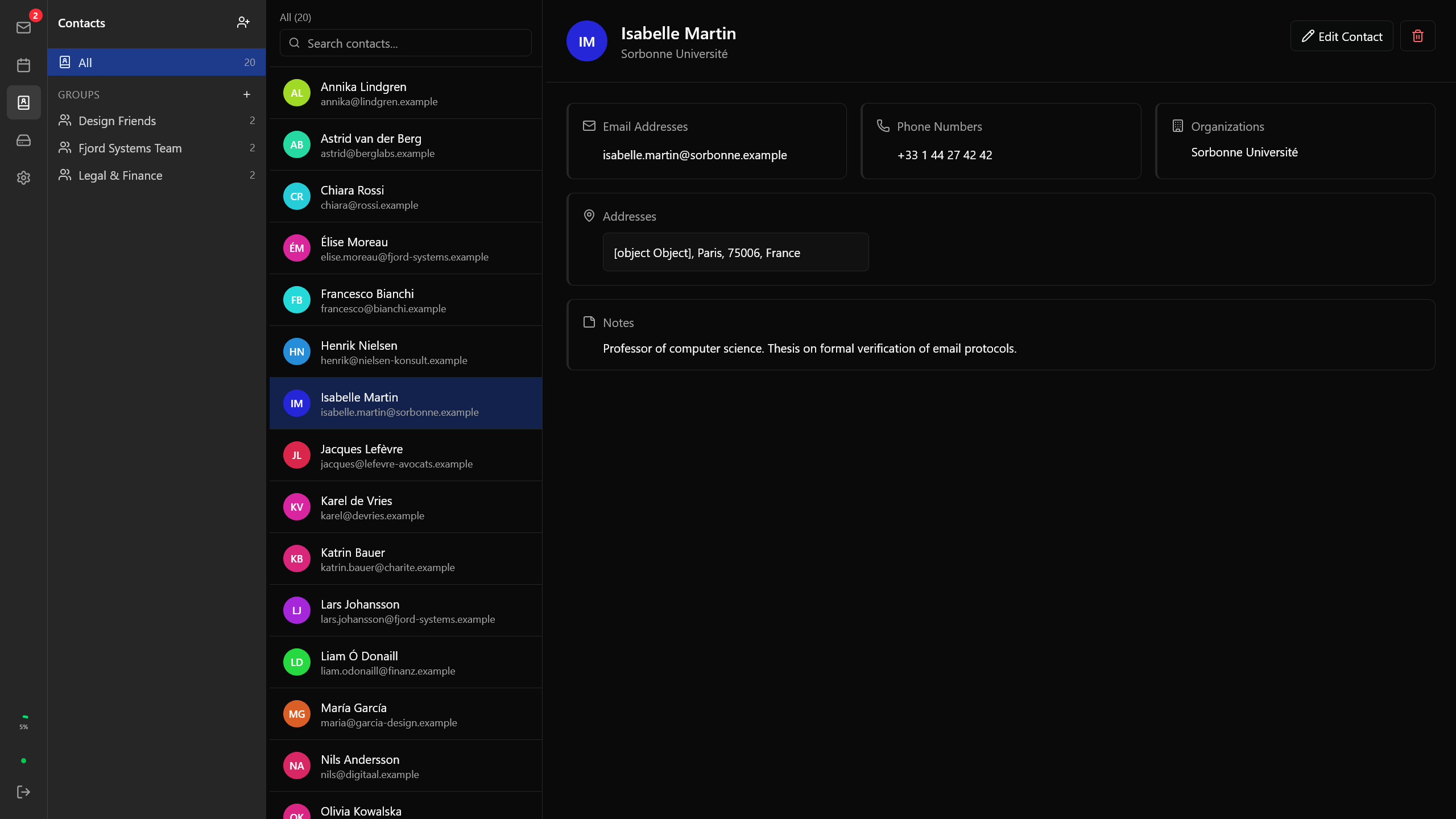
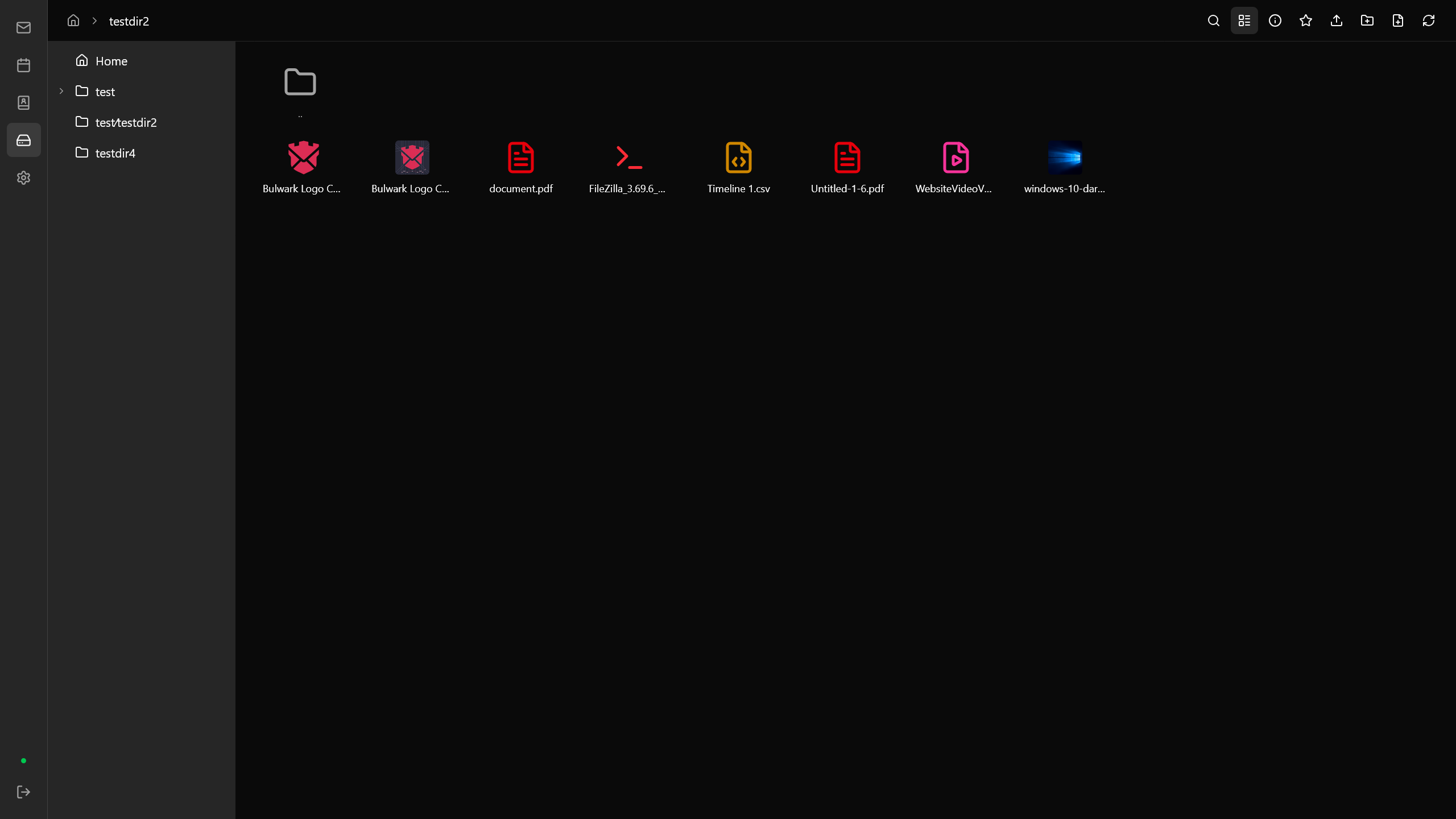
Contacts **Contacts** — Contact management with groups and vCard support File browser **Files** — Cloud file browser with upload, preview, and folder navigation
More screenshots
Inbox — light mode **Light mode** — Full theme support with intelligent color transformation Settings **Settings** — Appearance, identities, filters, templates, and more
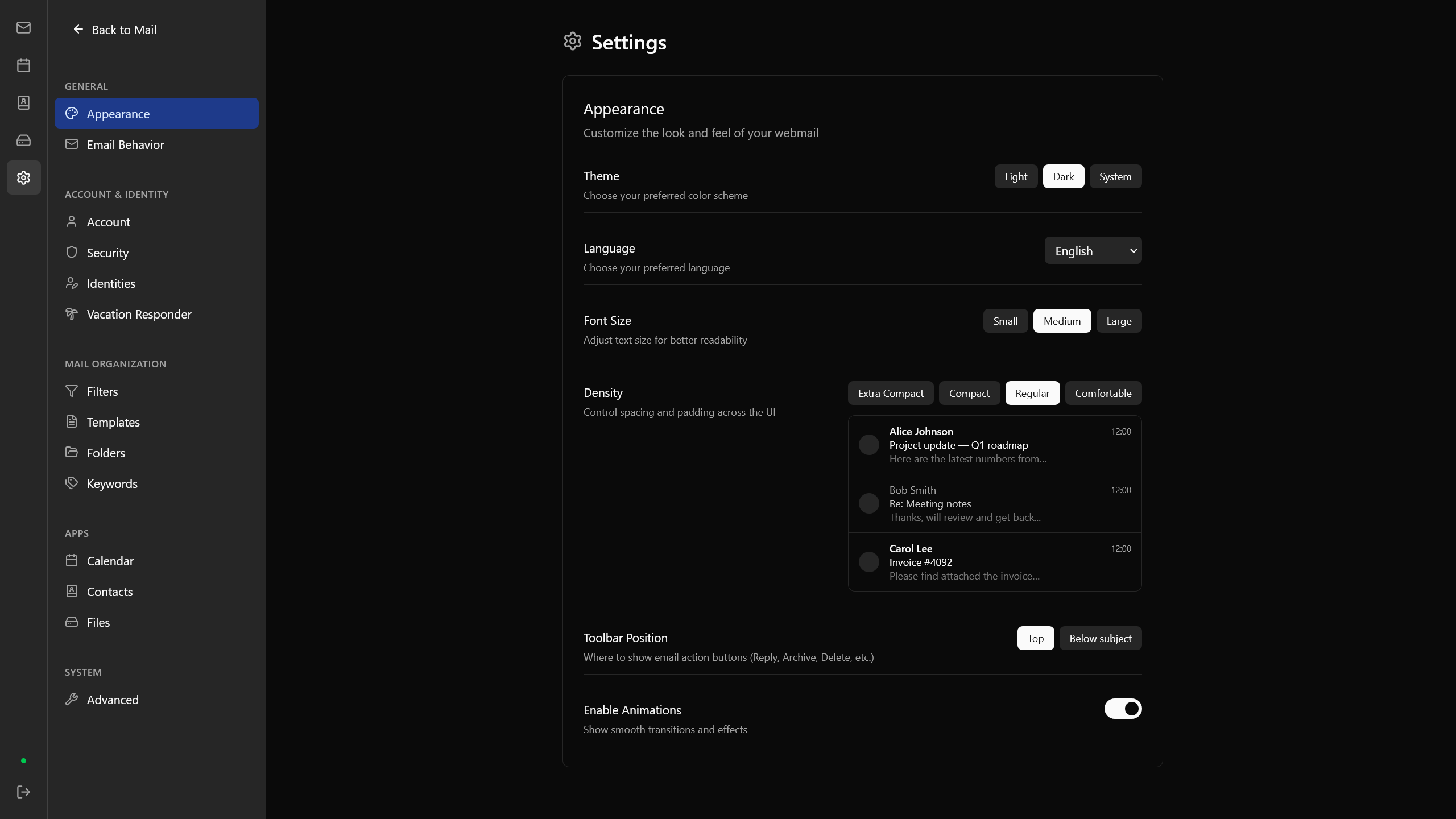
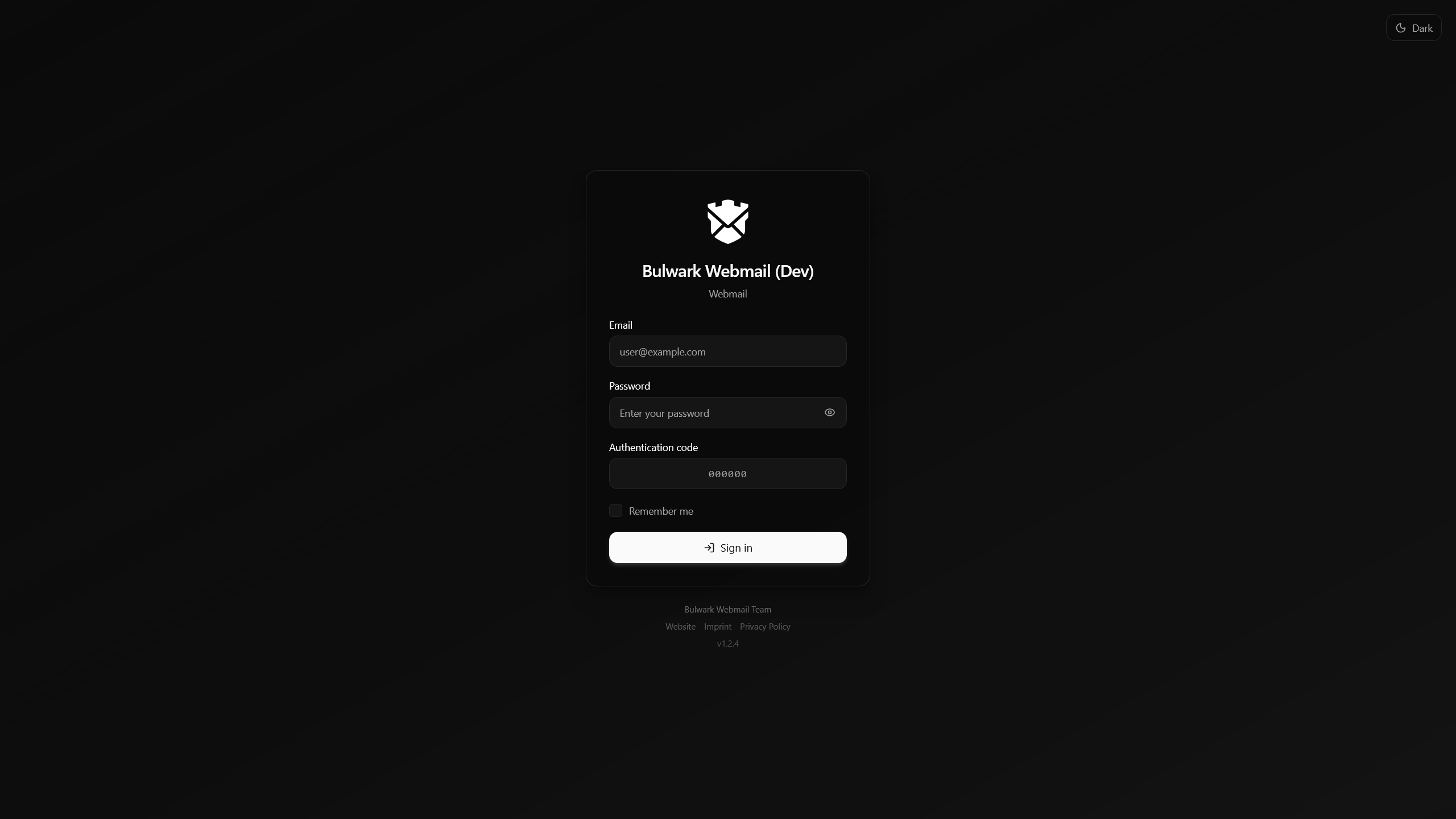
Login page **Login** — Configurable branding with OAuth2/OIDC and 2FA support
## Features ### Mail - **Read, compose, reply, reply-all, forward** with rich HTML rendering - **Threading** — Gmail-style inline expansion with thread navigation - **Draft auto-save** with discard confirmation - **Attachments** — upload, download, and inline preview - **Search** — full-text with JMAP filter panel, search chips, cross-mailbox queries, wildcard support, and OR conditions - **Batch operations** — multi-select with checkboxes, archive, delete, move, tag - **Archive modes** — archive directly or organize archived mail by year or month - **Print** emails directly from the viewer - **Answered/forwarded status icons** in email list and thread views - **Color tags/labels** and star/unstar - **Virtual scrolling** for large mailboxes - **Quick reply** from the viewer - **Sender avatars** — favicon-based with negative caching for performance - **Recipient popover** for quick contact interaction - **TNEF support** — extract Outlook `winmail.dat` message bodies and attachments automatically - **Folder management** — create, rename, delete folders with icon picker and subfolder support - **Tag counts** — unread and total counts displayed in sidebar ### Calendar - **Month, week, day, and agenda views** with mini-calendar sidebar - **Event hover preview** popover with details - **Drag-and-drop rescheduling**, click-drag creation, edge-resize (15-min snap) - **Recurring events** with edit/delete scope (this / this and following / all) - **Participant scheduling** — iTIP invitations, organizer/attendee UI, RSVP - **Inline calendar invitations** in email viewer — auto-detect `.ics`, RSVP, import - **iCalendar import** with preview and bulk create - **Task management** — create, edit, and track tasks with due dates, priority, and completion status - **Week numbers** in mini-calendar sidebar - **Notifications** with configurable sound, alert persistence, and sound picker with preview playback - **Real-time sync** via JMAP push ### Contacts - **Contact management** with JMAP sync (RFC 9553/9610) and local fallback - **Contact groups** with group expansion and member management - **vCard import/export** (RFC 6350) with duplicate detection - **Autocomplete** in composer (To/Cc/Bcc) - **Bulk operations** — multi-select, delete, group add, export ### Filters & Automation - **Server-side email filters** via JMAP Sieve Scripts (RFC 9661) - **Visual rule builder** — conditions (From, To, Subject, Size, Body…) and actions (Move, Forward, Star, Discard…) - **Raw Sieve editor** with syntax validation - **Vacation responder** with date range scheduling and sidebar indicator - **Email templates** — reusable, categorized, with placeholder auto-fill (`{{recipientName}}`, `{{date}}`, etc.) ### Files - **File browser** with JMAP FileNode cloud storage (Stalwart native) - **Upload and download** files with progress tracking and folder upload support - **Folder navigation** with breadcrumb path and tree sidebar - **Grid and list views** with sorting by name, size, or date - **Clipboard operations** — cut, copy, paste, duplicate files - **File preview** for images, text, audio, video, and more - **Favorites and recent files** for quick access - **Bulk operations** — multi-select, delete, move, download ### Security & Privacy - **External content blocked** by default — trusted senders list for auto-load - **HTML sanitization** via DOMPurify with XSS prevention - **S/MIME** — manage certificates, sign outgoing mail, encrypt to recipients, decrypt messages, and verify signatures - **SPF/DKIM/DMARC** status indicators - **OAuth2/OIDC with PKCE** for SSO (Keycloak, Authentik, or built-in), with OAuth-only mode and non-interactive SSO for embedded/iframe deployments - **TOTP two-factor authentication** - **Account security panel** — manage passwords and 2FA via Stalwart admin API - **"Remember me"** — AES-256-GCM encrypted httpOnly cookie (opt-in) - **Security headers** — CSP with per-request nonce, X-Frame-Options, Referrer-Policy - **Newsletter unsubscribe** (RFC 2369) ### Interface - **Three-pane layout** — sidebar, email list, viewer with resizable columns - **Dark and light themes** with intelligent email color transformation - **Always-light email rendering** option for problematic HTML messages in dark theme - **Responsive** — desktop sidebar + mobile bottom tab bar with tablet support - **Keyboard shortcuts** — full navigation without a mouse - **Drag-and-drop** email organization between mailboxes and tag assignment - **Interactive guided tour** — onboarding walkthrough for new users - **Right-click context menus**, toast notifications with undo, form validation with shake feedback - **Customizable toolbar** position, custom favicon, sidebar/login logos, and login page branding - **Sidebar apps** — pin custom tools to the navigation rail and open them inline or in a new tab - **Settings sync** — preferences synchronized with the server (encrypted) - **Storage quota** display - **Shared folders** — multi-account access - **Accessibility** — WCAG AA contrast, reduced-motion support, focus trap, screen reader live regions ### Internationalization 8 languages: English · Français · 日本語 · Español · Italiano · Deutsch · Nederlands · Português Automatic browser detection with persistent preference. ### Identity Management - **Multiple sender identities** with per-identity signatures - **Identity refresh** — keep the identity manager aligned with server-side changes after edits - **Sub-addressing** — `user+tag@domain.com` with contextual tag suggestions - **Identity badges** in viewer and email list ### Operations - **Automatic update check** — server logs when a newer release is available - **Demo mode** — try the webmail with fixture data for emails, calendars, contacts, files, filters, identities, and mailboxes — no mail server required --- ## Quick Start ### Docker (recommended) ```bash docker run -d -p 3000:3000 \ -e JMAP_SERVER_URL=https://mail.example.com \ ghcr.io/bulwarkmail/webmail:latest ``` Or with Docker Compose: ```bash cp .env.example .env.local # Edit .env.local — set JMAP_SERVER_URL docker compose up -d ``` ### From Source ```bash git clone https://github.com/bulwarkmail/webmail.git cd webmail npm install cp .env.example .env.local # Edit .env.local — set JMAP_SERVER_URL npm run build && npm start ``` ### Development ```bash npm run dev # Start dev server (mock JMAP server included) npm run typecheck # Type checking npm run lint # Linting ``` ## Configuration Edit `.env.local`: ```env # Required JMAP_SERVER_URL=https://mail.example.com # Optional APP_NAME=My Webmail ``` All variables are **runtime** — Docker deployments can be configured without rebuilding.
Server Listen Address ```env HOSTNAME=0.0.0.0 # Default; use "::" for IPv6 PORT=3000 # Default listen port ```
OAuth2/OIDC (SSO) ```env OAUTH_ENABLED=true OAUTH_CLIENT_ID=webmail OAUTH_CLIENT_SECRET= # optional, for confidential clients OAUTH_ISSUER_URL= # optional, for external IdPs (Keycloak, Authentik) ``` Endpoints are auto-discovered via `.well-known/oauth-authorization-server` or `.well-known/openid-configuration`.
Remember Me ```env SESSION_SECRET=your-secret-key # Generate with: openssl rand -base64 32 ``` Credentials encrypted with AES-256-GCM, stored in an httpOnly cookie (30-day expiry).
## Keyboard Shortcuts | Key | Action | | ------------- | ----------------------- | | `j` / `k` | Navigate between emails | | `Enter` / `o` | Open email | | `Esc` | Close / deselect | | `c` | Compose | | `r` / `R` | Reply / Reply all | | `f` | Forward | | `s` | Star | | `e` | Archive | | `#` | Delete | | `/` | Search | | `?` | Show all shortcuts | ## Tech Stack | | | | ------------- | ------------------------------------------------- | | **Framework** | [Next.js 16](https://nextjs.org/) with App Router | | **Language** | TypeScript | | **Styling** | [Tailwind CSS v4](https://tailwindcss.com/) | | **State** | [Zustand](https://zustand-demo.pmnd.rs/) | | **Protocol** | Custom JMAP client (RFC 8620) | | **i18n** | [next-intl](https://next-intl-docs.vercel.app/) | | **Icons** | [Lucide React](https://lucide.dev/) | ## Why Stalwart? [Stalwart](https://github.com/stalwartlabs/mail-server) is a mail server written in Rust with **native JMAP support** — not IMAP/SMTP with JMAP bolted on. It handles JMAP, IMAP, SMTP, and ManageSieve in a single binary. Self-hosted, no third-party dependencies. ## Contributing See [CONTRIBUTING.md](CONTRIBUTING.md) for guidelines. ## License [GNU AGPL v3](LICENSE) This repository also preserves the original MIT attribution notice for the fork lineage in [NOTICE](NOTICE). ## Acknowledgments Thanks to [root-fr/jmap-webmail](https://github.com/root-fr/jmap-webmail/) and [@ma2t](https://github.com/ma2t) for doing most of the groundwork that this project builds upon.